
7 Essential Features Every Residential Subdivision Website Needs
A residential subdivision website plays an important role in how potential buyers discover and explore a new development.
Whether you’re marketing a small land subdivision or a large master-planned community, your website should make it easy for visitors to understand the development, explore available properties, and contact the sales team.
However, not all property development websites provide the information buyers need.
Some rely heavily on downloadable brochures, outdated lot plans, or limited property details.
Here are seven important features to consider when building or improving a residential subdivision website.
1. An Interactive Subdivision Map
One of the most useful features of a subdivision website is an interactive lot map.
Instead of displaying a static image, an interactive map allows buyers to select individual lots and view property information.
This might include:
- Lot number
- Lot size
- Asking price
- Availability
- Development stage
- Additional property details
An interactive map helps buyers understand where each property is located and which lots may suit their needs.
It also creates a more engaging experience than requiring visitors to download a PDF.
2. Real-Time Lot Availability
Buyers need to know which properties are currently available.
If a website displays outdated information, visitors may inquire about lots that have already sold or miss opportunities to explore newly available properties.
Real-time lot availability allows development teams to maintain current sales information through a central dashboard.
When a lot changes status, the website map can reflect the latest saved information.
This is particularly useful for developments where lot sales and pricing change frequently.
3. Mobile-Friendly Design
Potential buyers may discover your development while browsing on a phone, tablet, or desktop computer.
Your website should provide a consistent experience across these devices.
Important considerations include:
- Easy-to-read text
- Clear navigation
- Accessible contact information
- Fast-loading images
- Responsive interactive maps
- Simple forms
Large PDF subdivision plans can be difficult to navigate on mobile devices.
A responsive interactive map can make it easier for buyers to select lots and view the relevant information.
4. Clear Property Pricing and Information
Where pricing is available for public display, make it easy for buyers to find.
Visitors shouldn’t need to search through multiple documents to understand the basic details of a property.
Useful information may include lot size, asking price, development stage, and current availability.
If pricing varies or buyers need to contact an agent, make that process clear.
Accurate information helps buyers compare options and decide which properties they want to investigate further.
5. Quality Development Photography and Visuals
Strong visual content helps buyers understand the development and its surroundings.
Depending on the project, useful visuals may include:
- Aerial photography
- Development renders
- Streetscape imagery
- Location maps
- Site progress photography
- Nearby amenities
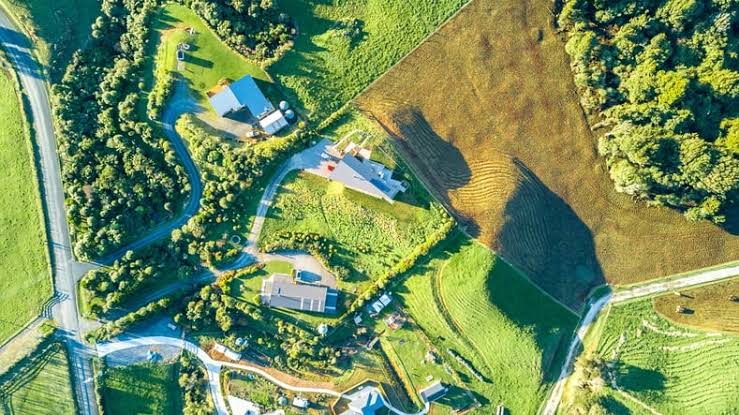
For developments still under construction, renders and plans can help communicate the intended finished environment.
Be clear when an image is an artist’s impression rather than a photograph of completed work.
6. Easy Contact and Inquiry Options
Once a buyer finds a property they’re interested in, the next step should be straightforward.
Your website should make it easy to contact the sales team.
This might include:
- A general inquiry form
- Sales representative contact details
- A phone number
- An email address
- A request for further information
Where possible, make it easy for buyers to reference the specific lot they’re interested in.
For example, a buyer who has identified Lot 32 on your interactive map should be able to communicate that information when contacting the sales team.
Clear inquiry options reduce unnecessary steps between browsing and making contact.
7. Simple Website Management
A development website isn’t something you build once and never update.
As a project progresses, lot availability, pricing, construction updates, and marketing information may change.
Your team needs a practical way to keep this information current.
A website that’s difficult to maintain can quickly become outdated.
For lot availability in particular, an interactive mapping platform can reduce the need for ongoing website development work.
Instead of manually replacing subdivision images or PDFs, your sales or marketing team can update lot information through a dedicated dashboard.
This allows the website to remain useful throughout the sales process.
Bringing Everything Together
An effective subdivision website should do more than showcase a development.
It should help buyers explore available properties, understand their options, and take the next step toward making an inquiry.
Interactive lot maps, current availability, mobile-friendly design, and clear property information all contribute to that experience.
Just as importantly, the website should be easy for your team to manage as the development progresses.
Add an Interactive Map to Your Subdivision Website
Subdivision Map Maker provides a straightforward way to add interactive lot maps to your existing development website.
Upload your subdivision plan, create clickable lots, and manage availability, pricing, and property information from a simple dashboard.
Give buyers a better way to explore your development without the cost and complexity of a custom mapping system.
Map it. Manage it. Sell it.
Create Your Interactive Subdivision Map
Whether you’re marketing a small residential subdivision or a large master-planned community, an interactive map can make your development website more useful for buyers and easier for your team to manage.
Subdivision Map Maker helps you turn an existing subdivision plan into a clickable map with real-time lot availability, pricing, and property information.
Map it. Manage it. Sell it.
Create an account to build your first map, or watch the demo to see how it works.